Superfast Managed Cloud WordPress Hosting on websitehosting.app by SeekaHost (Built for Speed, Ease, and High Traffic Sites)
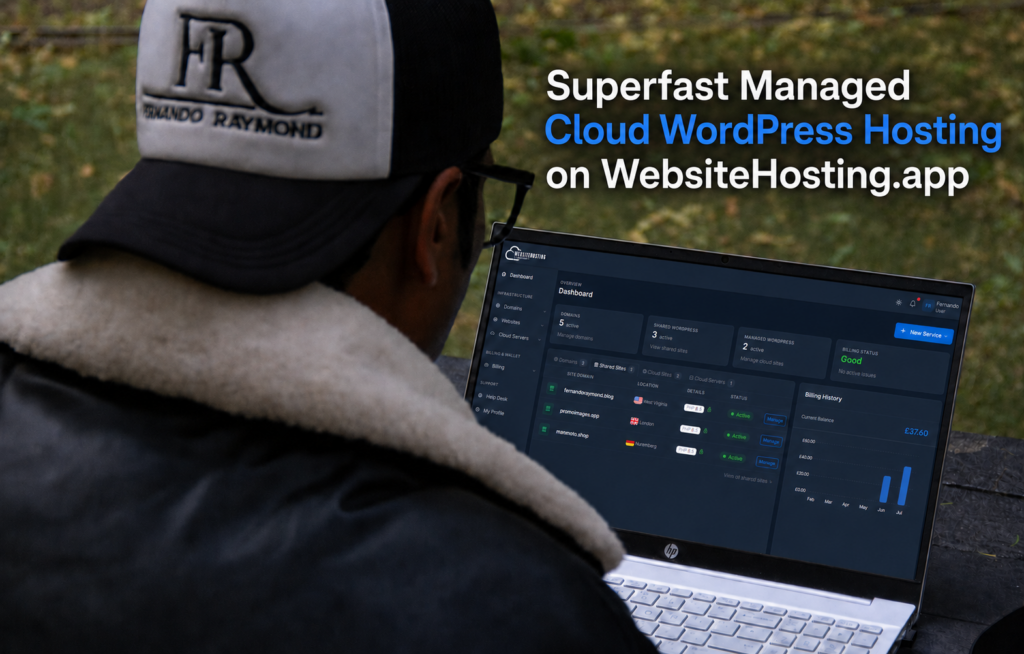
If you run a WordPress site that needs to load fast, stay online during traffic spikes, and be managed without you touching a server console, you’ve probably looked at names like Kinsta, WP Engine, Cloudways, WPX Hosting, Hostinger, and Ionos. They all promise the same three things: speed, uptime, and simplicity. What they don’t always deliver is the honest version of that promise at a price a growing blog or business can comfortably absorb.
That’s the gap I set out to close when we built websitehosting.app at SeekaHost. This guide walks through what managed cloud hosting for WordPress actually means, how the platform is engineered to serve fast on high traffic sites, and where it lands against the other names you’ve been comparing.
It’s a companion piece to my earlier post, Better Managed WordPress Hosting in 2026 with Cheaper Prices by SeekaHost Compared to Kinsta, Cloudways, or WP Engine, which focuses on pricing. This one focuses on what’s actually under the hood.
What managed cloud hosting for WordPress really means
There’s a lot of loose marketing language around “cloud hosting” so let me strip it back to what actually matters for a WordPress site.
Managed cloud hosting means your site sits on cloud infrastructure (real virtualised servers rather than one crowded shared box), and someone else handles the parts of running that infrastructure that you’d rather not think about: server security patches, PHP updates, caching layers, backups, uptime monitoring, and traffic scaling. You log into a portal, you click, your site works.
For WordPress specifically, “managed” should also mean the platform is tuned around the way WordPress actually behaves under load: PHP workers sized properly, object caching in place, static assets served from fast storage, and the ability to absorb a sudden traffic spike without your admin dashboard grinding to a halt.
That’s the baseline. Everything I’ve written into websitehosting.app is built to hit that bar for a much broader audience than the enterprise buyers Kinsta and WP Engine were originally designed around.
Why we built websitehosting.app the way we did
I started SeekaHost because I was a blogger first, and I had already spent years watching new bloggers, small business owners, and creators struggle with the technical layer of getting online. cPanel was too much. Some of the “premium” managed hosts were too expensive for someone launching their first site. Others were priced right but forced you to pick data centre regions, configure PHP workers, or manage DNS across three different vendors just to launch one WordPress blog.
I’ve written about the origin of the portal before in How I Started This Blog with ChatGPT Design, Coded by Claude & Hosted on websitehosting.app. That post is really the story of a founder eating his own cooking. The pricing follow up in Better Managed WordPress Hosting in 2026 explains why the mainstream managed WordPress market got so expensive. This guide focuses on the other question I kept getting asked after those posts went out: is the platform actually fast enough for a serious, high traffic WordPress site?
The short answer is yes, and the rest of this guide explains why.
The infrastructure behind the speed
Speed on a managed WordPress host isn’t magic. It comes from a stack of decisions that either match how WordPress behaves under real traffic or fight it. Here’s what websitehosting.app runs on.
NVMe SSD storage across every plan. WordPress hits the database and disk constantly, especially on content heavy sites with a lot of plugins. NVMe drives read and write orders of magnitude faster than the SATA SSDs that some cheap hosts still ship on. Every plan on the platform sits on NVMe by default.
Three data centre regions to pick from. You can host in Nuremberg, East Virginia, or London. Hosting close to your actual audience shaves real milliseconds off first byte times, which compounds on every page view. Most bloggers hosting for a UK or European audience default to London or Nuremberg. US audiences run out of East Virginia.
Lightweight, WordPress tuned server images. The shared WordPress environments are built specifically for WordPress workloads rather than being a generic LAMP box that happens to run WordPress. That means caching, PHP configuration, and static file handling are already correct on day one.
Cloud VPS tiers when a shared plan is no longer enough. For sites that outgrow shared hosting (traffic spikes, membership sites, WooCommerce stores, large media libraries), the platform offers cloud VPS instances in the same three regions. You keep the same portal, the same file manager, and the same domain management. You just get dedicated resources under the hood.
One portal for domains, hosting, and files. Kinsta and WP Engine don’t sell you the domain. Cloudways doesn’t either. You register somewhere, host somewhere else, and edit DNS across two panels. On websitehosting.app the domain, the WordPress install, the file manager, and billing all live in one login at portal.websitehosting.app.
How to get a WordPress site live on managed cloud hosting
I walked through this in more detail in the launch story of this very blog, but here’s the short version of what the process looks like inside the portal.
- Register or connect a domain. The portal has a built in domain search. If you already own the domain elsewhere, you can point it in.
- Pick a WordPress hosting plan. For a personal blog or small business site, a shared WordPress plan is usually enough to start. If you know you need dedicated resources from day one (WooCommerce, membership site, high traffic content site) go straight to a cloud VPS tier.
- Choose your data centre. Nuremberg, East Virginia, or London. Pick the one closest to your main audience.
- Install WordPress. One click from the dashboard. The install is preconfigured and ready to serve.
- Point your domain, add SSL, and go live. SSL is included and auto provisioned. There is no separate SSL invoice.
That’s it. There’s no server sizing decision, no PHP worker configuration, no separate email hosting to figure out. If you want to add more sites later, you add them from the same portal.
If you’re launching a new site and want it to be visible on Google from day one, my step by step in How to Submit Your WordPress Blog to Google Search Console and Google Analytics is the next thing to run through once you’re live.
Where websitehosting.app sits against the other names
Since almost everyone reading this is comparing options, here’s an honest read on where the other big managed WordPress names land.
Kinsta. Excellent infrastructure on Google Cloud’s premium tier. The dashboard is polished. The pricing reflects an enterprise buyer. Entry plans start around $35 a month for a single site with a 25,000 visit cap, and you pay separately for email hosting. Genuinely great if you have the budget and a revenue critical site. Overkill for a personal blog.
WP Engine. The default choice for a lot of agencies. Solid staging tools and good support once you’re on the higher tiers. Entry pricing sits near $25 to $30 a month for one site, phone support is locked behind the $55 plan, and you get billed for visit overages. Priced for people who make their living building client WordPress sites.
Cloudways. The most flexible of the mainstream options because it sits on top of DigitalOcean, Vultr, AWS, and Google Cloud. Server sizing is on you. If you know what a PHP worker is and you’re comfortable picking a droplet size, Cloudways is a good pick. If you don’t, you’ll feel it.
WPX Hosting. Fast, well liked in the blogger community, and known for good support. It’s a solid managed WordPress host. The entry point is still noticeably higher than a shared WordPress plan on websitehosting.app, and the domain sits outside the product.
Hostinger. Aggressively priced. Real customers, real sites. The trade off is that the “cloud” tiers Hostinger sells are managed in a lighter sense than what most people mean by managed WordPress: you get more resources, but the WordPress specific tuning and portal simplicity vary depending on which product line you land on.
Ionos. Enterprise pedigree and cheap headline pricing, but the control panel is genuinely confusing for anyone hosting a WordPress site for the first time. I’ve watched new bloggers land there because of the price, then quietly migrate off within a year because they never figured out how to do half of what they needed to do. WordPress on Ionos is more complicated than it should be.
websitehosting.app. Built specifically to give bloggers, creators, freelancers, small businesses, and content sites the speed and reliability people are paying Kinsta and WP Engine level prices for, on a portal that doesn’t require you to already know how servers work. Shared WordPress plans start well under any of the “premium” hosts’ entry tiers, cloud VPS is available when you outgrow shared, and everything (domain, hosting, files, SSL, billing) lives in one login. For the deeper pricing breakdown, Better Managed WordPress Hosting in 2026 with Cheaper Prices by SeekaHost has the full maths.
Who this platform is for
Not every host is right for every site. Being honest about the fit matters more than winning a comparison.
websitehosting.app is the right choice if you’re running:
- A personal blog on a .blog or .com that you want to load fast without paying agency prices. If you’re weighing the domain choice itself, I made the case for .blog domains in A .blog Domain Is the New Personal Brand Card.
- A small business or portfolio site where uptime and speed matter but you don’t have a developer on call.
- A high traffic content site that has outgrown shared hosting and needs a real cloud VPS without paying $70 a month for the privilege.
- A freelancer or agency running a handful of client WordPress sites who wants one portal instead of five.
- A creator launching something new and wanting the domain, the hosting, and the WordPress install in one place. My walkthrough of that path is in Your Name Deserves Its Own Home Online — Why You Should Start a Personal Blog in 2026.
If you’re an enterprise buyer running a revenue critical site with a dedicated dev team and a five figure hosting budget, Kinsta or WP Engine still make sense. That’s genuinely their market.
For everyone else, the maths has shifted, and it’s shifted a long way.
Getting started
If you want to see the portal for yourself, it’s at portal.websitehosting.app. Search a domain, pick a WordPress plan, choose a data centre, click install.
Managed cloud hosting for WordPress doesn’t have to be expensive, and it doesn’t have to be complicated. We built websitehosting.app to be the fastest, easiest, most reliable way to run a managed WordPress site anywhere in the world, and the pricing to match. That’s the whole point.